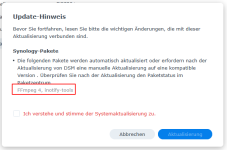
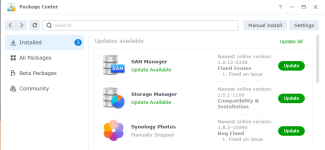
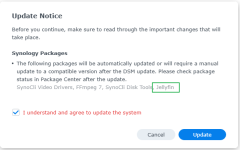
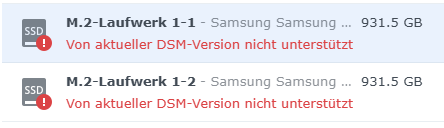
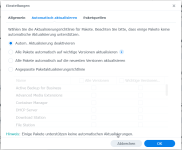
@ctrlaltdelete You have DSM updates set to notify. Did you get a notified and then click update or did DSM update itself?
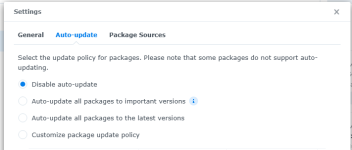
Did you also have packages set to notify (auto-update disabled)?
Before I updated from DSM 7.2.2 to 7.3 I setup a shut-down schedule to run syno_hdd_db (as well as my existing boot-up schedule) but I still had to reboot a 2nd time after the DSM update reboot... so the shut-down schedule did not prevent running packages from being updated. I have not updated to 7.3 Update 1 or 7.3.2 yet.
I'm wondering if a companion script that runs at shut-down to stop all packages that are installed on 3rd party NVMe drives would stop the DSM update from "repairing" those packages. This companion script could create a log of packages it stopped so that a modified version of syno_hdd_db could start them at boot-up (which would be after DSM has checked if packages need repairing).
A 2nd idea would be that the companion script also increases the build number of the packages installed on NVMe drives so the DSM update thinks they are compatible version (and log the original build numbers). Then syno_hdd_db would need to restore the original build numbers of those packages - but only after the NVMe volume is back online.
A 3rd idea is the companion shut-down script could disable package center auto-updates - then syno_hdd_db could change it back to it's previous setting.
But the 2nd and 3rd ideas would not work if DSM is repairing packages that are installed but missing (because they are on an NVMe volume that was not mounted on the first boot). I wonder if I can find a way to prevent DSM updates auto repairing missing packages.
A 4th idea is use the companions shut-down script to hide the NVMe packages' /var/packages/<package-name> during shut-down by moving them somewhere else. Then at boot-up syno_hdd_db could move them back if the NVMe volume is back online.
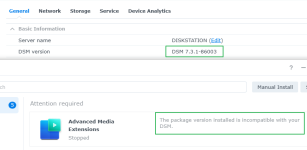
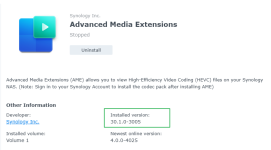
In my videostation_for_722 script it changes the first part of the version number. It changes Advanced Media Codecs version 3.0.1-2004 to 30.0.1-2004 which worked fine in DSM 7.2.2. But DSM 7.3.1 knows it's incompatible. Which is why I was thinking of changing the build number in the companion script. Or I could even get the latest package version number from Synology's website and make the currently installed version appear like the latest version. Then syno_hdd_db would restore the package's original version number (from the companion script's log) after the volume was back online.
The problem is I only have 2 chances to test this on my DS1821+, plus one chance on my DS925+ which is already on 7.3.1 Update 1. I will probably have to downgrade my DS925+ to 7.3.1 or 7.3 multiple times just to test my ideas 1, 2, 3 and 4 while updating to 7.3.2.
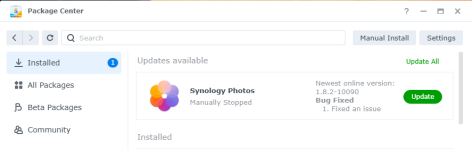
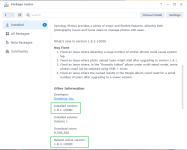
On the DS925+ I had Synology Photos stopped and it did not get updated when I updated to DSM 7.3.1 Update 1. But it's installed on a HDD volume so DSM did not try to "repair" it.