- Registriert
- 07. Apr. 2016
- Beiträge
- 1.625
- Reaktionspunkte
- 795
- Punkte
- 128
Important Note
- After installing this update, you will not be able to downgrade to a previous DSM version.
- This update will restart your Synology NAS.
- If auto update does not run, perform a manual update in Control Panel. Before updating, follow the instructions and complete the required actions to ensure success.
- To uphold our commitment to quality, every DSM release undergoes rigorous validation. To ensure optimal stability, the models listed below will not receive this update on your device and will remain on their most suitable version. You can only download the upgrade patch from Synology Download Center because you won't receive notifications for this update on your DSM.
- FS Series: FS3017, FS2017, FS1018
- XS Series: RS18016xs+, RS4017xs+, RS3617xs+, RS3617xs, RS3617RPxs, RS18017xs+, DS3617xs, DS3617xsII, DS3018xs
- Plus Series: RS2416RP+, RS2416+, DS916+, DS716+II, DS716+, DS216+II, DS216+, DS1817+, DS1517+, RS2818RP+, RS2418RP+, RS2418+, RS818RP+, RS818+, DS1618+, DS918+, DS718+, DS218+, RS1219+
- Value Series: DS116, DS216, DS216play, DS416, DS416play, DS1517, DS1817, DS418play, RS217, RS816
- J Series: DS216j, DS416j, DS416slim, DS419slim, DS418j, DS218j, DS119j
- For the following models, DSM 7.3 will be the last upgradable version.
- FS Series: FS3017, FS2017, FS1018
- XS Series: DS3018xs, DS3617xs, DS3617xsII, RS18016xs+, RS18017xs+, RS3617xs, RS3617RPxs, RS3617xs+, RS3618xs, RS4017xs+, RS819, RS217
- Plus Series: DS216+, DS216+II, DS716+, DS716+II, DS916+, DS718+, DS918+, DS1019+, DS218+, DS1517+, DS1817+, DS1618+, DS1819+, DS2419+, DS2419+II, RS2416+, RS2416RP+, RS2418+, RS2418RP+, RS2818RP+, RS818+, RS818RP+, RS1219+
- Value Series: DS116, DS216, DS216play, DS416, DS416play, RS816, DS118, DS218, DS218play, DS418, DS418play, DS1517, DS1817
- J Series: DS216j, DS416j, DS416slim, DS419slim, DS418j, DS218j, DS119j
- Introduced in DSM 7.2.2 and continued in DSM 7.3, media file processing for HEVC (H.265), AVC (H.264), and VC-1 codecs is now handled by end devices to improve system efficiency. These codecs are widely supported on end devices such as smartphones, tablets, computers, and smart TVs. If the end device does not support the required codecs, the use of media files may be limited. Refer to this article for workarounds.In addition, please note the following exceptions:
- Surveillance Station on DSM will continue to support server-side processing of AVC (H.264) streams, see the release notes.
- Deep Video Analytics (DVA) series models and VisualStation clients will retain support for AVC (H.264) and HEVC (H.265) codecs.
- PetaSpace has reached end of life and is no longer supported. To create a large volume, see this article.
Compatibility & Installation
- Node.js v14, Node.js v16, PHP7.3, PHP7.4, and PHP8.0 are no longer supported.
- To ensure compatibility, the following packages will be automatically updated or will require a manual update to a compatible version: Active Backup for Business, Active Backup for Google Workspace, Active Backup for Microsoft 365, Advanced Media Extensions, Antivirus by McAfee, Antivirus Essential, Cloud Sync, Container Manager, Download Station, File Station, Hyper Backup, Hyper Backup Vault, Log Center, Media Server, Note Station, PACS, Presto File Server, Snapshot Replication, Storage Analyzer, Surveillance Station 9.2.0 or below, Synology Chat Server, Synology Drive, Synology Mail Server, Synology MailPlus Server, Synology Photos, Universal Search, and Web Station.
What's New
- Added an option to postpone important DSM auto-updates for up to 28 days after the first notification.
- Added support for Synology Tiering and Synology Tiering Vault.
- Added native exFAT support for external devices, allowing seamless access without additional packages. The exFAT Access package has been discontinued.
- Added support for backing up and restoring the "Verify server certificate" setting in LDAP directory service. Restoring this setting requires both the export and import systems to run DSM 7.3 or above.
- Added support for selecting organizational units (OUs) to synchronize when joining a domain. In this version, if you need to modify the OU synchronization list after joining the domain, you must leave and rejoin the domain.
- Added an option to automatically lock encrypted storage entities during a manual reset (Mode 1). After the reset, the key vault is erased and disabled, and encrypted volumes and shared folders are locked to prevent unauthorized access. This option is set to disabled by default.
- Added support for sending OTP emergency recovery codes by email if users cannot receive their OTP during 2-factor authentication for OS login.
Fixed Issues
- Fixed an issue where DSM configuration backups or Hyper Backup could fail while Shared Folder Sync tasks were running.
- Fixed an issue where residual snapshots from previous backup tasks might cause entire system backups in Active Backup for Business or Hyper Backup to fail.
- Fixed an issue where Snapshot Replication tasks might fail due to unexpected errors.
- Fixed a security vulnerability regarding curl (CVE-2023-38545).
- Fixed a security vulnerability regarding AppleTalk (CVE-2023-51781).
- Fixed a security vulnerability regarding krb5 (CVE-2024-37371).
- Fixed a security vulnerability regarding PostgreSQL (CVE-2025-1094).
- Fixed multiple security vulnerabilities (CVE-2024-12085, CVE-2020-22218, CVE-2024-24806, and CVE-2023-37920).
- This version is released in a staged rollout.
PS: DSM 7.3 als Präfix fehlt


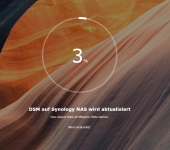
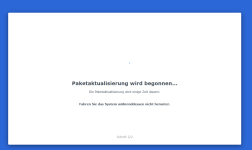
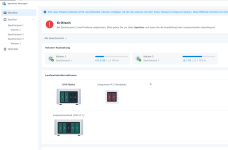
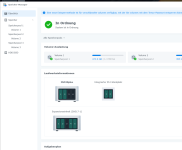
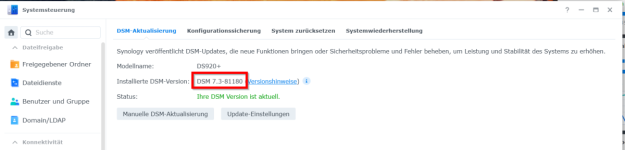
 DS920+ mit DX517 -> Update 7.3 gestartet