Tolle Umsetzung, läuft auf Anhieb !
Vielen Dank !!
ja stimmt, läuft auf Anhieb... aber...
zuerst mal einen guten Abend zusammen.
Tolles Projekt und läuft auch erstmal, schön gelöst und fast schneller wie auf dem Rechner.
Aber Vorsicht, ich habe mir damit jetzt 4 x DSM völlig abgeschossen, reproduzierbar...
Das bedeutet, wenn ein Download, eine Rep. oder was auch immer läuft und ihr neu starten müsst oder einen Stromausfall habt, zerlegt es den DSM (nginx) völlig.
Mit Telnet kommt man noch drauf, Ping geht auch, aber die Oberfläche ist nicht mehr erreichbar und die Netzlaufwerke können nicht mehr angesprochen werden.
Also auf einer "produktiven" Kiste würde ich es nicht laufen lassen.
Es hilft nur noch ein Reset...
Kurz zu meiner Konfiguration:
1812+ mit aktuell 7 Platten, aktueller DSM
Eingesetzt wird sie als Media Speicher, die SS läuft mit 2 IP Kameras und als Backup Server für meine 1815+ in der Firma.
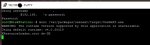
Hier mal ein Auszug (dmesg | more)
alles wäre zu viel ;-)
93.727107] init: Failed to write to log file /var/log/upstart/iscsitrg-adapter.log
[ 93.794649] iSCSI:target_core_rodsp_server.c:954 RODSPS Start-[001132183329]
[ 93.813394] iSCSI:extent_pool.c:619 INIT Extent-Pool
[ 93.835216] iSCSI:target_core_device.c:577 Rounding down aligned max_sectors from 4294967295 to 4294967288
[ 93.845501] iSCSI:target_core_lunbackup.c:401 512 buffers allocated, total 2097152 bytes successfully
[ 93.936280] iSCSI:target_core_ep.c:864 RODSP plugin is enabled.
[ 93.942299] iSCSI:target_core_ep.c:871 ODX Token Manager is enabled.
[ 156.160475] init: Failed to write to log file /var/log/upstart/dsm-services.log
[ 159.425087] init: Failed to write to log file /var/log/upstart/dsm-services.log
[ 162.691646] init: Failed to write to log file /var/log/upstart/dsm-services.log
[ 165.955437] init: Failed to write to log file /var/log/upstart/dsm-services.log
[ 167.954255] NFSD: Unable to end grace period: -110
[ 169.221722] init: Failed to write to log file /var/log/upstart/dsm-services.log
[ 172.486011] init: Failed to write to log file /var/log/upstart/dsm-services.log
[ 175.750066] init: Failed to write to log file /var/log/upstart/dsm-services.log
[ 179.014384] init: Failed to write to log file /var/log/upstart/dsm-services.log
[ 182.281234] init: Failed to write to log file /var/log/upstart/dsm-services.log
[ 185.546225] init: Failed to write to log file /var/log/upstart/dsm-services.log
[ 188.810893] init: Failed to write to log file /var/log/upstart/dsm-services.log
[ 192.084508] init: Failed to write to log file /var/log/upstart/dsm-services.log
[ 195.357341] init: Failed to write to log file /var/log/upstart/dsm-services.log
[ 198.630119] init: Failed to write to log file /var/log/upstart/dsm-services.log
[ 201.908477] init: Failed to write to log file /var/log/upstart/dsm-services.log
[ 205.182618] init: Failed to write to log file /var/log/upstart/dsm-services.log
[ 208.463339] init: Failed to write to log file /var/log/upstart/dsm-services.log
[ 211.736623] init: Failed to write to log file /var/log/upstart/dsm-services.log
[ 215.008663] init: Failed to write to log file /var/log/upstart/dsm-services.log
[ 260.934067] init: Failed to write to log file /var/log/upstart/dsm-services.log
[ 264.205149] init: Failed to write to log file /var/log/upstart/dsm-services.log
[ 267.478395] init: Failed to write to log file /var/log/upstart/dsm-services.log
[ 270.742531] init: Failed to write to log file /var/log/upstart/dsm-services.log
[ 271.007630] init: Failed to write to log file /var/log/upstart/dsm-services.log
[ 271.387401] init: pkgctl-PHP5.6 pre-start process (17820) terminated with status 1
[ 271.506125] init: pkgctl-VPNCenter pre-start process (17818) terminated with status 1
[ 271.514751] init: pkgctl-MediaServer pre-start process (17819) terminated with status 1
[ 271.523396] init: pkgctl-SurveillanceStation pre-start process (17821) terminated with status 1
[ 271.532989] init: pkgctl-Mono pre-start process (17825) terminated with status 1
[ 271.541170] init: pkgctl-AudioStation pre-start process (17826) terminated with status 1
[ 271.550414] init: pkgctl-exFAT pre-start process (17827) terminated with status 1
[ 271.641592] init: pkgctl-VideoStation pre-start process (17824) terminated with status 1
[ 271.759039] init: pkgctl-DownloadStation pre-start process (17822) terminated with status 1
[ 317.398778] init: Failed to write to log file /var/log/upstart/3rdparty-services.log
[ 320.416706] init: Failed to write to log file /var/log/upstart/3rdparty-services.log
[ 323.435296] init: Failed to write to log file /var/log/upstart/3rdparty-services.log
[ 326.453230] init: Failed to write to log file /var/log/upstart/3rdparty-services.log
[ 329.472112] init: Failed to write to log file /var/log/upstart/3rdparty-services.log
[ 332.490109] init: Failed to write to log file /var/log/upstart/3rdparty-services.log
[ 335.508026] init: Failed to write to log file /var/log/upstart/3rdparty-services.log
[ 338.525470] init: Failed to write to log file /var/log/upstart/3rdparty-services.log
[ 341.543840] init: Failed to write to log file /var/log/upstart/3rdparty-services.log
[ 344.561339] init: Failed to write to log file /var/log/upstart/3rdparty-services.log
[ 347.578698] init: Failed to write to log file /var/log/upstart/3rdparty-services.log
[ 350.597566] init: Failed to write to log file /var/log/upstart/3rdparty-services.log
[ 353.615256] init: Failed to write to log file /var/log/upstart/3rdparty-services.log
[ 356.634219] init: Failed to write to log file /var/log/upstart/3rdparty-services.log
[ 359.652773] init: Failed to write to log file /var/log/upstart/3rdparty-services.log
[ 362.671296] init: Failed to write to log file /var/log/upstart/3rdparty-services.log
[ 365.690149] init: Failed to write to log file /var/log/upstart/3rdparty-services.log
[ 368.708081] init: Failed to write to log file /var/log/upstart/3rdparty-services.log
[ 371.726808] init: Failed to write to log file /var/log/upstart/3rdparty-services.log
[ 374.745030] init: Failed to write to log file /var/log/upstart/3rdparty-services.log
[ 377.765224] init: Failed to write to log file /var/log/upstart/3rdparty-services.log
[ 380.783354] init: Failed to write to log file /var/log/upstart/3rdparty-services.log
[ 383.802272] init: Failed to write to log file /var/log/upstart/3rdparty-services.log
[ 386.821414] init: Failed to write to log file /var/log/upstart/3rdparty-services.log
[ 389.839198] init: Failed to write to log file /var/log/upstart/3rdparty-services.log
[ 392.857542] init: Failed to write to log file /var/log/upstart/3rdparty-services.log
[ 395.877029] init: Failed to write to log file /var/log/upstart/3rdparty-services.log
[ 398.896700] init: Failed to write to log file /var/log/upstart/3rdparty-services.log
[ 401.916760] init: Failed to write to log file /var/log/upstart/3rdparty-services.log
[ 404.934400] init: Failed to write to log file /var/log/upstart/3rdparty-services.log
[ 407.952526] init: Failed to write to log file /var/log/upstart/3rdparty-services.log
[ 410.970152] init: Failed to write to log file /var/log/upstart/3rdparty-services.log
[ 413.989158] init: Failed to write to log file /var/log/upstart/3rdparty-services.log
[ 417.008042] init: Failed to write to log file /var/log/upstart/3rdparty-services.log
[ 420.026820] init: Failed to write to log file /var/log/upstart/3rdparty-services.log
[ 423.046026] init: Failed to write to log file /var/log/upstart/3rdparty-services.log
[ 426.063659] init: Failed to write to log file /var/log/upstart/3rdparty-services.log
[ 429.081154] init: Failed to write to log file /var/log/upstart/3rdparty-services.log
[ 432.100359] init: Failed to write to log file /var/log/upstart/3rdparty-services.log
[ 435.118013] init: Failed to write to log file /var/log/upstart/3rdparty-services.log
[ 438.135575] init: Failed to write to log file /var/log/upstart/3rdparty-services.log
[ 441.153771] init: Failed to write to log file /var/log/upstart/3rdparty-services.log
[ 444.171834] init: Failed to write to log file /var/log/upstart/3rdparty-services.log
[ 447.190501] init: Failed to write to log file /var/log/upstart/3rdparty-services.log
[ 450.209156] init: Failed to write to log file /var/log/upstart/3rdparty-services.log
[ 453.231354] init: Failed to write to log file /var/log/upstart/3rdparty-services.log
[ 453.562556] init: rc-sysinit post-stop process (18565) terminated with status 1
[ 453.719540] init: Failed to write to log file /var/log/upstart/alias-register.log
[ 453.953692] init: Failed to write to log file /var/log/upstart/alias-register.log
[ 783.747054] init: nginx pre-start process (19135) terminated with status 1
[ 1430.406342] perf interrupt took too long (2502 > 5000), lowering kernel.perf_event_max_sample_rate to 50000
root@DiscStation:~#
Es kann natürlich an meiner Konfiguration liegen, ihr solltet aber trotzdem aufpassen.
vG
Christian