

jDownloader no Connection problem

  • Ab sofort steht euch hier im Forum die neue Add-on Verwaltung zur Verfügung – eine zentrale Plattform für alles rund um Erweiterungen und Add-ons für den DSM.

    Damit haben wir einen Ort, an dem Lösungen von Nutzern mit der Community geteilt werden können. Über die Team Funktion können Projekte auch gemeinsam gepflegt werden.

    Was die Add-on Verwaltung kann und wie es funktioniert findet Ihr hier

    Hier geht es zu den Add-ons

misux

Benutzer
Registriert
29. Feb. 2008
Beiträge
326
Reaktionspunkte
16
Punkte
18
HI!

Ich habe den Jdownloader gemäß verschiedenen Anleitungen installiert und soweit auch zum laufen gebracht...

Allerdings, egal wie ich es installiere, egal nach welcher Anleitung bekomme ich keine INternetverbindung..

Wenn ich per Browser IPvomNAS:5800 aufrufe komme ich zum downloader der immmer versucht eine internetverbindung aufzubauen. Also der jDownloader Updater...
Es klapppt aber nicht.
Habe schon vielen Versucht: Firewall aus, adguard aus, beides aus...NAS Neustart... keine chance... immer das selbe Problem.

Am Rechner funktioniert das programm problemlos...

Hat jeman vielleicht eine Idee woran es liegen könnte?
jDownloader Installation Nach dieser Anleitung habe ich es jetzt installiert:.
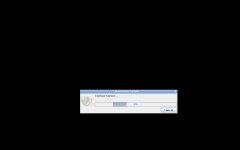
 

Anhänge

  • Bildschirmfoto 2023-12-08 um 13.53.14.png
    Bildschirmfoto 2023-12-08 um 13.53.14.png
    22,7 KB · Aufrufe: 13
Hast Du die richtige Zeitzone eingestellt? Mariushosting sitzt in Bukarest, das ist eine Stunde voraus. Du mußt Europe/Berlin als Zeitzone haben, wenn Du in Westeuropa bist. Das kann mit Update-Servern sonst Probleme machen (zumindest kenne ich solche Probleme von den Linux-Systemen auf den Raspis. Wenn die Zeitzone nicht paßt, klappt das dort nämlich nicht). Ich kann mir also vorstellen, daß es damit zusammenhängt.
 
Nee die Passt, die UID und GID auch, ist soger die selbe die er hat...


Code:
docker run -d --name=jdownloader2 \
-p 3129:3129 \
-p 5800:5800 \
-p 5900:5900 \
-e PUID=1026 \
-e PGID=100 \
-e TZ=Europe/Berlin \
-v /volume1/docker/jdownloader2/config:/config \
-v /volume1/docker/jdownloader2/output:/output \
--restart always \
jlesage/jdownloader-2
 
Der läuft aber nicht zufällig im MACVLAN, oder? Dann kann der jdownloader nämlich nur DNS-Anfragen stellen, wenn der auch im MACVLAN ist
Nee, macVlan benutze ich nicht... kaine Ahnung von... HAbe aber, falls es wichtig ist die DS als DNS server mit unbound und adguard am laufen. +Aber alles andere funktioniert problemlos... Vaultwarden, adguard, unbound... kann es sein das die Blocklist das irgendwie blockt?
 
Wenn der AdGuard aus ist, dürfte das keine Probleme machen. Mal in den Container Log geschaut?
 
<ja, sagt mir aber überhaupt nix...

Code:
2023/12/08 16:45:50    stdout    [xvnc        ]  VNCSConnST:  Client pixel format depth 24 (32bpp) little-endian bgr888
2023/12/08 16:45:50    stdout    [xvnc        ]  VNCSConnST:  Server default pixel format depth 24 (32bpp) little-endian rgb888
2023/12/08 16:45:50    stdout    [xvnc        ]  SConnection: Client requests security type None(1)
2023/12/08 16:45:50    stdout    [xvnc        ]  SConnection: Client needs protocol version 3.8
2023/12/08 16:45:50    stdout    [xvnc        ]  Connections: accepted: /tmp/vnc.sock
2023/12/08 16:45:50    stdout    [xvnc        ] Fri Dec  8 16:45:50 2023
2023/12/08 16:45:04    stdout    [xvnc        ]  ComparingUpdateTracker: (1:inf ratio)
2023/12/08 16:45:04    stdout    [xvnc        ]  ComparingUpdateTracker: 3.04102 Mpixels in / 0 pixels out
2023/12/08 16:45:04    stdout    [xvnc        ]  Connections: closed: /tmp/vnc.sock
2023/12/08 16:45:04    stdout    [xvnc        ]  EncodeManager:          89.6162 KiB (1:90.3952 ratio)
2023/12/08 16:45:04    stdout    [xvnc        ]  EncodeManager:   Total: 21 rects, 2.07376 Mpixels
2023/12/08 16:45:04    stdout    [xvnc        ]  EncodeManager:                  89.0029 KiB (1:4.95222 ratio)
2023/12/08 16:45:04    stdout    [xvnc        ]  EncodeManager:     Full Colour: 5 rects, 112.82 kpixels
2023/12/08 16:45:04    stdout    [xvnc        ]  EncodeManager:   Tight (JPEG):
2023/12/08 16:45:04    stdout    [xvnc        ]  EncodeManager:                  352 B (1:71.9091 ratio)
2023/12/08 16:45:04    stdout    [xvnc        ]  EncodeManager:     Indexed RLE: 2 rects, 6.322 kpixels
2023/12/08 16:45:04    stdout    [xvnc        ]  EncodeManager:                 68 B (1:9.58824 ratio)
2023/12/08 16:45:04    stdout    [xvnc        ]  EncodeManager:     Bitmap RLE: 1 rects, 160 pixels
2023/12/08 16:45:04    stdout    [xvnc        ]  EncodeManager:            208 B (1:37586.5 ratio)
2023/12/08 16:45:04    stdout    [xvnc        ]  EncodeManager:     Solid: 13 rects, 1.95446 Mpixels
2023/12/08 16:45:04    stdout    [xvnc        ]  EncodeManager:   Tight:
2023/12/08 16:45:04    stdout    [xvnc        ]  EncodeManager: Framebuffer updates: 3
2023/12/08 16:45:04    stdout    [xvnc        ]  VNCSConnST:  closing /tmp/vnc.sock: Clean disconnection
2023/12/08 16:45:04    stdout    [xvnc        ] Fri Dec  8 16:45:04 2023
2023/12/08 16:38:45    stdout    [xvnc        ]  VNCSConnST:  Client pixel format depth 24 (32bpp) little-endian bgr888
2023/12/08 16:38:45    stdout    [xvnc        ]  VNCSConnST:  Server default pixel format depth 24 (32bpp) little-endian rgb888
2023/12/08 16:38:45    stdout    [xvnc        ]  SConnection: Client requests security type None(1)
2023/12/08 16:38:45    stdout    [xvnc        ]  SConnection: Client needs protocol version 3.8
2023/12/08 16:38:45    stdout    [xvnc        ]  Connections: accepted: /tmp/vnc.sock
2023/12/08 16:38:45    stdout    [xvnc        ] Fri Dec  8 16:38:45 2023
2023/12/08 16:38:44    stdout    [xvnc        ]  ComparingUpdateTracker: (1:6.93747 ratio)
2023/12/08 16:38:44    stdout    [xvnc        ]  ComparingUpdateTracker: 2.60384 Mpixels in / 375.33 kpixels out
2023/12/08 16:38:44    stdout    [xvnc        ]  Connections: closed: /tmp/vnc.sock
2023/12/08 16:38:44    stdout    [xvnc        ]  EncodeManager:          136.93 KiB (1:69.8021 ratio)
2023/12/08 16:38:44    stdout    [xvnc        ]  EncodeManager:   Total: 52 rects, 2.44669 Mpixels
2023/12/08 16:38:44    stdout    [xvnc        ]  EncodeManager:                  132.028 KiB (1:4.79514 ratio)
2023/12/08 16:38:44    stdout    [xvnc        ]  EncodeManager:     Full Colour: 11 rects, 162.039 kpixels
2023/12/08 16:38:44    stdout    [xvnc        ]  EncodeManager:   Tight (JPEG):
2023/12/08 16:38:44    stdout    [xvnc        ]  EncodeManager:                  4.65137 KiB (1:59.4491 ratio)
2023/12/08 16:38:44    stdout    [xvnc        ]  EncodeManager:     Indexed RLE: 25 rects, 70.714 kpixels
2023/12/08 16:38:44    stdout    [xvnc        ]  EncodeManager:            256 B (1:34593.5 ratio)
2023/12/08 16:38:44    stdout    [xvnc        ]  EncodeManager:     Solid: 16 rects, 2.21393 Mpixels
2023/12/08 16:38:44    stdout    [xvnc        ]  EncodeManager:   Tight:
2023/12/08 16:38:44    stdout    [xvnc        ]  EncodeManager: Framebuffer updates: 25
2023/12/08 16:38:44    stdout    [xvnc        ]  VNCSConnST:  closing /tmp/vnc.sock: Clean disconnection
2023/12/08 16:38:44    stdout    [xvnc        ] Fri Dec  8 16:38:44 2023
2023/12/08 16:33:59    stdout    [xvnc        ]  VNCSConnST:  Client pixel format depth 24 (32bpp) little-endian bgr888
2023/12/08 16:33:59    stdout    [xvnc        ]  VNCSConnST:  Server default pixel format depth 24 (32bpp) little-endian rgb888
2023/12/08 16:33:59    stdout    [xvnc        ]  SConnection: Client requests security type None(1)
2023/12/08 16:33:59    stdout    [xvnc        ]  SConnection: Client needs protocol version 3.8
2023/12/08 16:33:59    stdout    [xvnc        ]  Connections: accepted: /tmp/vnc.sock
2023/12/08 16:33:59    stdout    [xvnc        ] Fri Dec  8 16:33:59 2023
2023/12/08 16:32:50    stdout    [logrotate   ] warning: state file /config/xdg/state/logrotate/logrotate.status is world-readable and thus can be locked from other unprivileged users. Skipping lock acquisition...
2023/12/08 16:32:50    stdout    [supervisor  ] all services started.
2023/12/08 16:32:50    stdout    [supervisor  ] starting service 'app'...
2023/12/08 16:32:49    stdout    [supervisor  ] starting service 'openbox'...
2023/12/08 16:32:49    stdout    [nginx       ] Listening for HTTP connections on port 5800.
2023/12/08 16:32:49    stdout    [supervisor  ] starting service 'nginx'...
2023/12/08 16:32:48    stdout    [xvnc        ]  vncext:      created VNC server for screen 0
2023/12/08 16:32:48    stdout    [xvnc        ]  vncext:      Listening for VNC connections on all interface(s), port 5900
2023/12/08 16:32:48    stdout    [xvnc        ]  vncext:      Listening for VNC connections on /tmp/vnc.sock (mode 0660)
2023/12/08 16:32:48    stdout    [xvnc        ]  vncext:      VNC extension running!
2023/12/08 16:32:48    stdout    [xvnc        ] Fri Dec  8 16:32:48 2023
2023/12/08 16:32:48    stdout    [xvnc        ] Underlying X server release 12014000
2023/12/08 16:32:48    stdout    [xvnc        ] See https://www.tigervnc.org for information on TigerVNC.
2023/12/08 16:32:48    stdout    [xvnc        ] Copyright (C) 1999-2022 TigerVNC Team and many others (see README.rst)
2023/12/08 16:32:48    stdout    [xvnc        ] Xvnc TigerVNC 1.13.1 - built Nov 17 2023 22:53:44
2023/12/08 16:32:48    stdout    [supervisor  ] starting service 'xvnc'...
2023/12/08 16:32:48    stdout    [supervisor  ] starting services...
2023/12/08 16:32:48    stdout    [supervisor  ] all services loaded.
2023/12/08 16:32:48    stdout    [supervisor  ] loading service 'logrotate'...
2023/12/08 16:32:48    stdout    [supervisor  ] service 'logmonitor' is disabled.
2023/12/08 16:32:48    stdout    [supervisor  ] loading service 'logmonitor'...
2023/12/08 16:32:48    stdout    [supervisor  ] loading service 'openbox'...
2023/12/08 16:32:48    stdout    [supervisor  ] loading service 'xvnc'...
2023/12/08 16:32:48    stdout    [supervisor  ] loading service 'nginx'...
2023/12/08 16:32:48    stdout    [supervisor  ] service 'certsmonitor' is disabled.
2023/12/08 16:32:48    stdout    [supervisor  ] loading service 'certsmonitor'...
2023/12/08 16:32:48    stdout    [supervisor  ] loading service 'gui'...
2023/12/08 16:32:48    stdout    [supervisor  ] loading service 'app'...
2023/12/08 16:32:48    stdout    [supervisor  ] loading service 'default'...
2023/12/08 16:32:48    stdout    [supervisor  ] loading services...
2023/12/08 16:32:48    stdout    [init        ] giving control to process supervisor.
2023/12/08 16:32:48    stdout    [cont-init   ] all container initialization scripts executed.
2023/12/08 16:32:48    stdout    [cont-init   ] 89-info.sh: terminated successfully.
2023/12/08 16:32:48    stdout        ╰――――――――――――――――――――――――――――――――――――――――――――――――――――――――――――――――――――――╯
2023/12/08 16:32:48    stdout        │                                                                      │
2023/12/08 16:32:48    stdout        │ Docker Image Platform: linux/amd64                                   │
2023/12/08 16:32:48    stdout        │ Docker Image Version:  23.11.2                                       │
2023/12/08 16:32:48    stdout        │ Application Version:   n/a                                           │
2023/12/08 16:32:48    stdout        │ Application:           JDownloader 2                                 │
2023/12/08 16:32:48    stdout        │                                                                      │
2023/12/08 16:32:48    stdout        ╭――――――――――――――――――――――――――――――――――――――――――――――――――――――――――――――――――――――╮
2023/12/08 16:32:48    stdout    [cont-init   ] 89-info.sh: executing...
2023/12/08 16:32:48    stdout    [cont-init   ] 85-take-config-ownership.sh: terminated successfully.
2023/12/08 16:32:48    stdout    [cont-init   ] 85-take-config-ownership.sh: executing...
2023/12/08 16:32:48    stdout    [cont-init   ] 55-jdownloader2.sh: terminated successfully.
2023/12/08 16:32:48    stdout    [cont-init   ] 55-jdownloader2.sh: executing...
2023/12/08 16:32:48    stdout    [cont-init   ] 15-install-pkgs.sh: terminated successfully.
2023/12/08 16:32:48    stdout    [cont-init   ] 15-install-pkgs.sh: executing...
2023/12/08 16:32:48    stdout    [cont-init   ] 15-cjk-font.sh: terminated successfully.
2023/12/08 16:32:48    stdout    [cont-init   ] 15-cjk-font.sh: executing...
2023/12/08 16:32:48    stdout    [cont-init   ] 10-xdg-runtime-dir.sh: terminated successfully.
2023/12/08 16:32:48    stdout    [cont-init   ] 10-xdg-runtime-dir.sh: executing...
2023/12/08 16:32:48    stdout    [cont-init   ] 10-x11-unix.sh: terminated successfully.
2023/12/08 16:32:48    stdout    [cont-init   ] 10-x11-unix.sh: executing...
2023/12/08 16:32:48    stdout    [cont-init   ] 10-web-data.sh: terminated successfully.
2023/12/08 16:32:48    stdout    [cont-init   ] 10-web-data.sh: executing...
2023/12/08 16:32:48    stdout    [cont-init   ] 10-vnc-password.sh: terminated successfully.
2023/12/08 16:32:48    stdout    [cont-init   ] 10-vnc-password.sh: executing...
2023/12/08 16:32:48    stdout    [cont-init   ] 10-set-tmp-dir-perms.sh: terminated successfully.
2023/12/08 16:32:48    stdout    [cont-init   ] 10-set-tmp-dir-perms.sh: executing...
2023/12/08 16:32:48    stdout    [cont-init   ] 10-pkgs-mirror.sh: terminated successfully.
2023/12/08 16:32:48    stdout    [cont-init   ] 10-pkgs-mirror.sh: executing...
2023/12/08 16:32:48    stdout    [cont-init   ] 10-openbox.sh: terminated successfully.
2023/12/08 16:32:48    stdout    [cont-init   ] 10-openbox.sh: executing...
2023/12/08 16:32:48    stdout    [cont-init   ] 10-nginx.sh: terminated successfully.
2023/12/08 16:32:48    stdout    [cont-init   ] 10-nginx.sh: executing...
2023/12/08 16:32:48    stdout    [cont-init   ] 10-init-users.sh: terminated successfully.
2023/12/08 16:32:48    stdout    [cont-init   ] 10-init-users.sh: executing...
2023/12/08 16:32:48    stdout    [cont-init   ] 10-fontconfig-cache-dir.sh: terminated successfully.
2023/12/08 16:32:48    stdout    [cont-init   ] 10-fontconfig-cache-dir.sh: executing...
2023/12/08 16:32:48    stdout    [cont-init   ] 10-clean-tmp-dir.sh: terminated successfully.
2023/12/08 16:32:48    stdout    [cont-init   ] 10-clean-tmp-dir.sh: executing...
2023/12/08 16:32:48    stdout    [cont-init   ] 10-clean-logmonitor-states.sh: terminated successfully.
2023/12/08 16:32:48    stdout    [cont-init   ] 10-clean-logmonitor-states.sh: executing...
2023/12/08 16:32:48    stdout    [cont-init   ] 10-check-app-niceness.sh: terminated successfully.
2023/12/08 16:32:48    stdout    [cont-init   ] 10-check-app-niceness.sh: executing...
2023/12/08 16:32:48    stdout    [cont-init   ] 10-certs.sh: terminated successfully.
2023/12/08 16:32:48    stdout    [cont-init   ] 10-certs.sh: executing...
2023/12/08 16:32:48    stdout    [cont-init   ] executing container initialization scripts...
2023/12/08 16:32:48    stdout    [cont-secrets] container secrets loaded.
2023/12/08 16:32:48    stdout    [cont-secrets] loading container secrets...
2023/12/08 16:32:48    stdout    [cont-env    ] container environment variables initialized.
2023/12/08 16:32:48    stdout    [cont-env    ] XDG_STATE_HOME: loading...
2023/12/08 16:32:48    stdout    [cont-env    ] XDG_RUNTIME_DIR: loading...
2023/12/08 16:32:48    stdout    [cont-env    ] XDG_DATA_HOME: loading...
2023/12/08 16:32:48    stdout    [cont-env    ] XDG_CONFIG_HOME: loading...
2023/12/08 16:32:48    stdout    [cont-env    ] XDG_CACHE_HOME: loading...
2023/12/08 16:32:48    stdout    [cont-env    ] TAKE_CONFIG_OWNERSHIP: loading...
2023/12/08 16:32:48    stdout    [cont-env    ] QT_STYLE_OVERRIDE: loading...
2023/12/08 16:32:48    stdout    [cont-env    ] QT_STYLE_OVERRIDE: terminated successfully.
2023/12/08 16:32:48    stdout    [cont-env    ] QT_STYLE_OVERRIDE: executing...
2023/12/08 16:32:48    stdout    [cont-env    ] INSTALL_PACKAGES_INTERNAL: loading...
2023/12/08 16:32:48    stdout    [cont-env    ] INSTALL_PACKAGES_INTERNAL: terminated successfully.
2023/12/08 16:32:48    stdout    [cont-env    ] INSTALL_PACKAGES_INTERNAL: executing...
2023/12/08 16:32:48    stdout    [cont-env    ] HOME: loading...
2023/12/08 16:32:48    stdout    [cont-env    ] GTK_THEME: loading...
2023/12/08 16:32:48    stdout    [cont-env    ] GTK_THEME: terminated successfully.
2023/12/08 16:32:48    stdout    [cont-env    ] GTK_THEME: executing...
2023/12/08 16:32:48    stdout    [cont-env    ] GTK2_RC_FILES: loading...
2023/12/08 16:32:48    stdout    [cont-env    ] GTK2_RC_FILES: terminated successfully.
2023/12/08 16:32:48    stdout    [cont-env    ] GTK2_RC_FILES: executing...
2023/12/08 16:32:48    stdout    [cont-env    ] DOCKER_IMAGE_VERSION: loading...
2023/12/08 16:32:48    stdout    [cont-env    ] DOCKER_IMAGE_PLATFORM: loading...
2023/12/08 16:32:48    stdout    [cont-env    ] DISPLAY: loading...
2023/12/08 16:32:48    stdout    [cont-env    ] DISPLAY: terminated successfully.
2023/12/08 16:32:48    stdout    [cont-env    ] DISPLAY: executing...
2023/12/08 16:32:48    stdout    [cont-env    ] APP_NAME: loading...
2023/12/08 16:32:48    stdout    [cont-env    ] loading container environment variables...
2023/12/08 16:32:48    stdout    [init        ] container is starting...
 
Da sehe ich erstmal keinen Error.
DS mal neu gestartet?
Irgendwelche geblockten Anfragen im AdGuard verzeichnet?
 
im Adguard log sehe ich zum beispiel einen eintrage welcher verarbeitet wurde... update.appwork.org und die IP ist 172.17.0.2 welche der dem docker container entspircht... Sonst nix geblocktes
Neustart der DS habe ich gemacht...
 
Nee das passt
Firewall der DS ist noch aus, oder?
 
Ja, das ist ja das wirklich komische... das lief ca ne woche gut.... und seit ca 1-2 tagen geht nix mehr...
Welchen Post hast du da genutzt? Welche Installationsart?
 
Vielen Dank!

Muss man dieses myjdownloader eigentlich dafür haben? so einen account oder was auch immer das ist habe ich nicht.... ist der notwendig? Welche Emailadresse sollte dirt angegebene werden wenn ich den myjdownloader nicht habe?
 
Der my.jdownloader Account ist nur dafür da, dass man sein jDownloader von der ferne aus steuern kann bzw. mit Android/iOS Apps. Oder halt per Browser Plugin. Man spart sich also die langsame Oberfläche
 
Komme irgendwie nicht klar damit... Wie komme ich denn jetzt auf die Weboberfläche vom jDownloader? Die app ist installiert auf der synology... aber wie öffne ich die? Habe sie mit dem Port80 installiert.
Wenn ich bei den installierten Apps auf öffnen klicke leitet er mcih direkt weiter zu myjdownloader....
UNd wenn ich mir das installationsvideo ansehe... Muss ich dann wohl diesen myjdownloader nutzen... Dann muss ich auch den Port 80 in der syno freigeben oder? sonst klappt es eh nicht.... fragen über fragen....
 
Zuletzt bearbeitet:
Ja der jdownloader kann nativ installiert meines Wissens nur über die Cloud angesprochen werden
 

Additional post fields


Kaffeautomat

Wenn du das Forum hilfreich findest oder uns unterstützen möchtest, dann gib uns doch einfach einen Kaffee aus.

Als Dankeschön schalten wir deinen Account werbefrei.

:coffee:

Hier gehts zum Kaffeeautomat





