squid terminated abnormaly & fatal error

  • Ab sofort steht euch hier im Forum die neue Add-on Verwaltung zur Verfügung – eine zentrale Plattform für alles rund um Erweiterungen und Add-ons für den DSM.

    Damit haben wir einen Ort, an dem Lösungen von Nutzern mit der Community geteilt werden können. Über die Team Funktion können Projekte auch gemeinsam gepflegt werden.

    Was die Add-on Verwaltung kann und wie es funktioniert findet Ihr hier

    Hier geht es zu den Add-ons

Status
Für weitere Antworten geschlossen.

Newman

Benutzer
Registriert
12. Sep. 2008
Beiträge
90
Reaktionspunkte
0
Punkte
0
Hi

Ich hab mich hier mal eingelesen und nach einigen start schwierigkeiten mit der bootstrap sollte ich in der lage sein ipkg zu installieren.


läuft der server einfach nur nicht, also der findet die ipk nicht oder hab ich ein gröberes problem?

kann ich einen proxy noch einfacher auf der synology einrichten?
also ich möchte bei bedarf von extern in mein netzwerk gelangen

danke schon mal
 

Anhänge

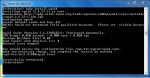
  • telnetsquid.jpg
    telnetsquid.jpg
    89,7 KB · Aufrufe: 43
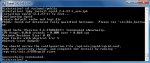
ich hab mir die ipk mal ergoogelt und diese dann fast wie das bootstrap installieren wollen auch das geht nicht. ist der weg falsch? und woran kann es liege?
 

Anhänge

  • add2.jpg
    add2.jpg
    70,7 KB · Aufrufe: 40
Aber du hast schon in der Datei /opt/etc/squid/squid.conf die Konfigurationsvariable 'visible_hostname' auf einen vernüftigen Wert gesetzt und dann /opt/etc/init.d/S80squid start aufgerufen?

Itari
 
also ich bin die ganze zeit dran.

ich hab die ipk installiert und immer einen error bekommen access denied...

dann hab ich mich auf die suche gemacht, den ordner squid gibt es nicht unter
/opt/etc/

ich hab ihn dann mit mkdir angelegt und die ipk removed und neu installiert.

danach war der ordner auf gefüllt mit einigen files.


Diskstation> squid.conf:
-ash: squid.conf:: not found
Diskstation> dir
drwxr-xr-x 2 root root 4096 Jul 25 17:49 .
drwxr-xr-x 5 root root 4096 May 14 14:40 ..
-rw-r--r-- 1 root root 419 May 14 14:40 cachemgr.conf
-rw-r--r-- 1 root root 11651 May 14 14:40 mime.conf
-rw-r--r-- 1 root root 11651 May 14 14:40 mime.conf.default
-rw-r--r-- 1 root root 157399 May 14 14:40 squid.conf
-rw-r--r-- 1 root root 157399 May 14 14:40 squid.conf.default
-rw-r--r-- 1 root root 157399 Jul 25 17:00 squid.conf.ipkg-old
-rwxr-xr-x 1 root root 569 May 14 14:40 squid.delay-start.sh


aber ich bekomme immer die meldung nicht gefunden...


gibt es noch mehr rdner die ich anlegen muss damit der proxy endlich mal läuft?
 
Vielleicht sind die Rechte ein Problem. Mach doch mal in dem Verzeichnis einen
Rich (BBCode):
chmd 777 *; chmod 777 .

Itari
 
ich hab die synology neugestartet und der ordner ist wieder leer?


Diskstation> chmd 777 *, chmod 777 .
-ash: chmd: not found
Diskstation> chmd 777 *, chmod 777 .
-ash: chmd: not found


Diskstation> chmod 777 *, chmod 777
chmod: *,: No such file or directory
chmod: chmod: No such file or directory
chmod: 777: No such file or directory
Diskstation> chmod 777 squid.config, chmod 777

Diskstation login: root
Password:


BusyBox v1.1.0 (2010.03.12-16:58+0000) Built-in shell (ash)
Enter 'help' for a list of built-in commands.

Diskstation> cd /opt/etc
Diskstation> dir
drwxr-xr-x 5 root root 4096 May 14 14:40 .
drwxr-xr-x 12 root root 4096 Jul 25 17:49 ..
drwxr-xr-x 2 root root 4096 Jul 25 17:49 init.d
drwxr-xr-x 2 root root 4096 Jul 25 12:57 ipkg
-rw-r--r-- 1 root root 1040 Aug 23 2008 ipkg.conf
-rwxr-xr-x 1 root root 387 Sep 25 2009 rc.optware
drwxr-xr-x 2 root root 4096 Jul 25 17:59 squid
-rwxr-xr-x 1 root root 4499 Sep 25 2009 wgetrc
Diskstation> cd /squid
Diskstation> dir
drwxr-xr-x 2 root root 4096 Jul 25 17:44 .
drwxr-xr-x 25 root root 4096 Jul 25 18:02 ..
Diskstation> chmd 777 *, chmod 777 .
-ash: chmd: not found
Diskstation> chmd 777 *, chmod 777 .
-ash: chmd: not found
Diskstation>
Diskstation> Diskstation> chmd 777 *, chmod 777 .
-ash: Diskstation: not found
Diskstation> -ash: chmd: not found
-ash: -ash:: not found
Diskstation> Diskstation> chmd 777 *, chmod 777 .
-ash: Diskstation: not found
Diskstation> -ash: chmd: not found
-ash: -ash:: not found
Diskstation> cd
Diskstation> cd
Diskstation> cd
Diskstation> chmd 777 *, chmod 777 .
-ash: chmd: not found
Diskstation> chmd 777 *, chmod 777
-ash: chmd: not found
Diskstation> chmd 777 *
-ash: chmd: not found
Diskstation> chmod 777 *, chmod 777
chmod: *,: No such file or directory
chmod: chmod: No such file or directory
chmod: 777: No such file or directory
Diskstation> ipkg install squid
Package squid (2.6.23-1) installed in root is up to date.
Nothing to be done
Successfully terminated.
Diskstation> ipkg remove squid
Removing package squid from root...
Successfully terminated.
Diskstation> ipkg install squid
Installing squid (2.6.23-1) to root...
Downloading http://ipkg.nslu2-linux.org/feeds/optware/cs08q1armel/cross/unstable/squid_2.6.23-1_arm.ipk
Configuring squid
create default cache and logs dir
FATAL: Could not determine fully qualified hostname. Please set 'visible_hostname'

Squid Cache (Version 2.6.STABLE23): Terminated abnormally.
CPU Usage: 0.020 seconds = 0.010 user + 0.010 sys
Maximum Resident Size: 0 KB
Page faults with physical i/o: 2
Aborted (core dumped)

You should review the configuration file /opt/etc/squid/squid.conf,
make any necessary change, and complete the install by running -
/opt/etc/init.d/S80squid start

Successfully terminated.
Diskstation> /opt/etc/squid/squid.conf
-ash: /opt/etc/squid/squid.conf: Permission denied
Diskstation> /opt/etc/squid
-ash: /opt/etc/squid: Permission denied
Diskstation> /opt/etc
-ash: /opt/etc: Permission denied
Diskstation> cd /opt/etc/squid
Diskstation> dir
drwxr-xr-x 2 root root 4096 Jul 25 18:16 .
drwxr-xr-x 5 root root 4096 May 14 14:40 ..
-rw-r--r-- 1 root root 419 May 14 14:40 cachemgr.conf
-rw-r--r-- 1 root root 0 Jul 25 17:59 dir
-rw-r--r-- 1 root root 11651 May 14 14:40 mime.conf
-rw-r--r-- 1 root root 11651 May 14 14:40 mime.conf.default
-rw-r--r-- 1 root root 157399 May 14 14:40 squid.conf
-rw-r--r-- 1 root root 157399 May 14 14:40 squid.conf.default
-rw-r--r-- 1 root root 157399 Jul 25 17:00 squid.conf.ipkg-old
-rw-r--r-- 1 root root 0 Jul 25 17:59 squid.conf:
-rwxr-xr-x 1 root root 569 May 14 14:40 squid.delay-start.sh
Diskstation> chmod 777 *, chmod 777
chmod: *,: No such file or directory
chmod: chmod: No such file or directory
chmod: 777: No such file or directory
Diskstation> chmod 777 squid.config, chmod 777
chmod: squid.config,: No such file or directory
chmod: chmod: No such file or directory
chmod: 777: No such file or directory
Diskstation> chmod 777 squid.config
chmod: squid.config: No such file or directory
Diskstation> dir
drwxr-xr-x 2 root root 4096 Jul 25 18:16 .
drwxr-xr-x 5 root root 4096 May 14 14:40 ..
-rw-r--r-- 1 root root 419 May 14 14:40 cachemgr.conf
-rw-r--r-- 1 root root 0 Jul 25 17:59 dir
-rw-r--r-- 1 root root 11651 May 14 14:40 mime.conf
-rw-r--r-- 1 root root 11651 May 14 14:40 mime.conf.default
-rw-r--r-- 1 root root 157399 May 14 14:40 squid.conf
-rw-r--r-- 1 root root 157399 May 14 14:40 squid.conf.default
-rw-r--r-- 1 root root 157399 Jul 25 17:00 squid.conf.ipkg-old
-rw-r--r-- 1 root root 0 Jul 25 17:59 squid.conf:
-rwxr-xr-x 1 root root 569 May 14 14:40 squid.delay-start.sh
Diskstation> squid.config
-ash: squid.config: not found
Diskstation> mime.config
-ash: mime.config: not found
Diskstation> dir
dir
ddrwxr-xr-x 2 root root 4096 Jul 25 18:16 .
drwxr-xr-x 5 root root 4096 May 14 14:40 ..
-rw-r--r-- 1 root root 419 May 14 14:40 cachemgr.conf
-rw-r--r-- 1 root root 0 Jul 25 17:59 dir
-rw-r--r-- 1 root root 11651 May 14 14:40 mime.conf
-rw-r--r-- 1 root root 11651 May 14 14:40 mime.conf.default
-rw-r--r-- 1 root root 157399 May 14 14:40 squid.conf
-rw-r--r-- 1 root root 157399 May 14 14:40 squid.conf.default
-rw-r--r-- 1 root root 157399 Jul 25 17:00 squid.conf.ipkg-old
-rw-r--r-- 1 root root 0 Jul 25 17:59 squid.conf:
-rwxr-xr-x 1 root root 569 May 14 14:40 squid.delay-start.sh
Diskstation> dir
drwxr-xr-x 2 root root 4096 Jul 25 18:16 .
drwxr-xr-x 5 root root 4096 May 14 14:40 ..
-rw-r--r-- 1 root root 419 May 14 14:40 cachemgr.conf
-rw-r--r-- 1 root root 0 Jul 25 17:59 dir
-rw-r--r-- 1 root root 11651 May 14 14:40 mime.conf
-rw-r--r-- 1 root root 11651 May 14 14:40 mime.conf.default
-rw-r--r-- 1 root root 157399 May 14 14:40 squid.conf
-rw-r--r-- 1 root root 157399 May 14 14:40 squid.conf.default
-rw-r--r-- 1 root root 157399 Jul 25 17:00 squid.conf.ipkg-old
-rw-r--r-- 1 root root 0 Jul 25 17:59 squid.conf:
-rwxr-xr-x 1 root root 569 May 14 14:40 squid.delay-start.sh
Diskstation> dcd
-ash: dcd: not found
Diskstation> c
-ash: c: not found
Diskstation> d
-ash: d: not found
Diskstation> cd
Diskstation> cd
Diskstation> cd
Diskstation> dir
drwxr-xr-x 5 root root 4096 Jul 25 11:42 .
drwxr-xr-x 25 root root 4096 Jul 25 18:02 ..
drwx------ 3 root root 4096 Apr 23 16:39 .cache
drwx------ 3 root root 4096 Apr 23 16:39 .config
drwx------ 3 root root 4096 Apr 23 16:39 .local
-rw-r--r-- 1 root root 396 Sep 4 2003 .profile
-rw-r--r-- 1 root root 0 Jul 25 11:42 public
-rw-r--r-- 1 root root 0 Jul 25 11:42 volume1
-rw-r--r-- 1 root root 0 Jul 25 11:39 wget-log
Diskstation> Diskstation> chmod 777 *, chmod 777
-ash: Diskstation: not found
Diskstation> chmod: *,: No such file or directory
-ash: chmod:: not found
Diskstation> chmod: chmod: No such file or directory
-ash: chmod:: not found
Diskstation> chmod: 777: No such file or directory
-ash: chmod:: not found
Diskstation> Diskstation> chmod 777 squid.config, chmod 777
-ash: Diskstation: not found
Diskstation>

 
Zuletzt bearbeitet:
hier habe ich eine alte config umbenannt geht auch nicht

Diskstation login: root
Password:


BusyBox v1.1.0 (2010.03.12-16:58+0000) Built-in shell (ash)
Enter 'help' for a list of built-in commands.

Diskstation> cd /opt/etc/squid
Diskstation> dir
drwxr-xr-x 2 root root 4096 Jul 25 18:16 .
drwxr-xr-x 5 root root 4096 May 14 14:40 ..
-rw-r--r-- 1 root root 419 May 14 14:40 cachemgr.conf
-rw-r--r-- 1 root root 0 Jul 25 17:59 dir
-rw-r--r-- 1 root root 11651 May 14 14:40 mime.conf
-rw-r--r-- 1 root root 11651 May 14 14:40 mime.conf.default
-rw-r--r-- 1 root root 0 Jul 25 18:19 squid.conf
-rw-r--r-- 1 root root 157399 May 14 14:40 squid.conf.default
-rw-r--r-- 1 root root 157399 Jul 25 17:00 squid.conf.ipkg-old
-rw-r--r-- 1 root root 0 Jul 25 17:59 squid.conf:
-rwxr-xr-x 1 root root 569 May 14 14:40 squid.delay-start.sh
Diskstation> squid.conf:
-ash: squid.conf:: not found
Diskstation> squid.conf

-ash: squid.conf: not found
Diskstation> del squid.conf
-ash: del: not found
Diskstation> rm squid.conf
Diskstation> rm squid.conf:
Diskstation> dir
drwxr-xr-x 2 root root 4096 Jul 25 18:27 .
drwxr-xr-x 5 root root 4096 May 14 14:40 ..
-rw-r--r-- 1 root root 419 May 14 14:40 cachemgr.conf
-rw-r--r-- 1 root root 0 Jul 25 17:59 dir
-rw-r--r-- 1 root root 11651 May 14 14:40 mime.conf
-rw-r--r-- 1 root root 11651 May 14 14:40 mime.conf.default
-rw-r--r-- 1 root root 157399 May 14 14:40 squid.conf.default
-rw-r--r-- 1 root root 157399 Jul 25 17:00 squid.conf.ipkg-old
-rwxr-xr-x 1 root root 569 May 14 14:40 squid.delay-start.sh
Diskstation> pktg install squid
-ash: pktg: not found
Diskstation> ptkg install squid
-ash: ptkg: not found
Diskstation> ipkg install squid
Package squid (2.6.23-1) installed in root is up to date.
Nothing to be done
Successfully terminated.
Diskstation> dir
drwxr-xr-x 2 root root 4096 Jul 25 18:27 .
drwxr-xr-x 5 root root 4096 May 14 14:40 ..
-rw-r--r-- 1 root root 419 May 14 14:40 cachemgr.conf
-rw-r--r-- 1 root root 0 Jul 25 17:59 dir
-rw-r--r-- 1 root root 11651 May 14 14:40 mime.conf
-rw-r--r-- 1 root root 11651 May 14 14:40 mime.conf.default
-rw-r--r-- 1 root root 157399 May 14 14:40 squid.conf.default
-rw-r--r-- 1 root root 157399 Jul 25 17:00 squid.conf.ipkg-old
-rwxr-xr-x 1 root root 569 May 14 14:40 squid.delay-start.sh
Diskstation> mv squid.conf.ipkg-old squid.conf
Diskstation> dir
drwxr-xr-x 2 root root 4096 Jul 25 18:32 .
drwxr-xr-x 5 root root 4096 May 14 14:40 ..
-rw-r--r-- 1 root root 419 May 14 14:40 cachemgr.conf
-rw-r--r-- 1 root root 0 Jul 25 17:59 dir
-rw-r--r-- 1 root root 11651 May 14 14:40 mime.conf
-rw-r--r-- 1 root root 11651 May 14 14:40 mime.conf.default
-rw-r--r-- 1 root root 157399 Jul 25 17:00 squid.conf
-rw-r--r-- 1 root root 157399 May 14 14:40 squid.conf.default
-rwxr-xr-x 1 root root 569 May 14 14:40 squid.delay-start.sh
Diskstation> squid.conf
-ash: squid.conf: not found
Diskstation> chmod 777 squid.conf
Diskstation> squid.conf
-ash: squid.conf: not found
Diskstation>
 
Diskstation> chmd 777 *, chmod 777 .
-ash: chmd: not found

Ich hab da einen Tippfehler (meine Tastatur klemmt ein wenig) in der Zeile drin gehabt:

Rich (BBCode):
chmod 777 *; chmod 777 .

Und es ist ein ';' und kein ',' zwischen den beiden Kommandos.

Itari
 
ja hab ich dann auch gesehen. ich hab alles rechte alles ist grün siehe 2ter quote aber es geht nicht er öffnet ums verrecken nicht die datei
 
Man kann eine Konfigurationsdatei nicht einfach aufrufen ... du brauchst dafür einen Editor. Vielleicht kannst dir ja auch per IPKG den mc installieren. Damit kann man schön Dateien editieren.

Itari
 
ok was ist der mc und welche ipk datei muss ich da nehmen? wird das über die web oberfläche installiert?
 
ok ich habs im putty mal geschaft das file zu öffnen.
also ich schreibe dort einfach rein und speicher das file...
nur wo muss ich die werte ändern? muss ich die zeilen manuell hinzufügen oder muss ich einfach hinter den wert meine hostnamen schreiben?
 
Du musst die Konfig einfach anpassen. Also die gewünschte Konfig-Variable suchen und dahinter den gewünschten Wert eintragen.
 
also ich hab am ende wo keine # mehr war die zeile eingetragen und dann den wert dahinter.

scheint er genommen zu haben. es kam kein fehler mehr.

aber wie kann ich den jetzt ganz einfach verschlüsseln?

ein user und ein passwort reichen. ohne komplizierte vershlüsselung.
11 buchstaben als passwort. muss ich da auch irgendwo nur die werte anpassen?
 
Also ich hab mir das config file mal auf den public ordner kopiert mit dem befehl cp squid.conf /volume1/public und es dort mit dem editor editiert. geht super. ich hab alles eingestellt wie in der anleitung danach squid restart und squid-z ist alles durchgelaufen.

aber ich kann nicht connecten. ich hab die benutzername und passwort verschlüsslung gewählt, wann muss ich diesen denn eingeben?

die anleitung


im anhang meine config. muste die spk nehmen die könnt ihr einfach mit dem notepad öffnen...
 

Anhänge

Zuletzt bearbeitet:
Über SFTP (und einem Programm dafür) hat man übrigens auch direkten Zugriff auf alle Systemdateien - muss man nur installieren/aktivieren ;)

Squid verweigert bei mir übrigens (ebenfalls) den Dienst. Nachdem ich die Config angepasst hatte, erstellte ich einmal die Swap Verzeichnisse mit -z manuell:

Rich (BBCode):
/opt/sbin/squid -N -X -z -f /opt/etc/squid/squid.conf

Tja, doch dann das ernüchternde Ergebnis:

Rich (BBCode):
/opt/sbin/squid -N -X -f /opt/etc/squid/squid.conf

[...]

FATAL: comm_select_init: epoll_create(): (38) Function not implemented

Squid Cache (Version 2.6.STABLE23): Terminated abnormally.

[...]

Alles irgendwie seltsam, denn die aktuelle Kernel Version (2.6.24) sollte das unterstützen:

[url=http://linux.die.net/man/2/epoll_create]linux.die.net[/url] schrieb:
epoll_create(2) is a new API introduced in Linux kernel 2.5.44. The interface should be finalized by Linux kernel 2.5.66.

Da man die epoll_create() Funktion nur vor dem Kompilieren über Configure deaktivieren kann, sehe ich aktuell keine Möglichkeit, dass Squid so über IPKG direkt installiert werden kann. Hat jemand noch irgendeine Idee, außer Squid selbst zu kompilieren? :o


MfG Christian
 
Status
Für weitere Antworten geschlossen.
 

Kaffeautomat

Wenn du das Forum hilfreich findest oder uns unterstützen möchtest, dann gib uns doch einfach einen Kaffee aus.

Als Dankeschön schalten wir deinen Account werbefrei.

:coffee:

Hier gehts zum Kaffeeautomat