Aufgabenplaner: "mv" Kommando funktioniert nicht mehr

  • Ab sofort steht euch hier im Forum die neue Add-on Verwaltung zur Verfügung – eine zentrale Plattform für alles rund um Erweiterungen und Add-ons für den DSM.

    Damit haben wir einen Ort, an dem Lösungen von Nutzern mit der Community geteilt werden können. Über die Team Funktion können Projekte auch gemeinsam gepflegt werden.

    Was die Add-on Verwaltung kann und wie es funktioniert findet Ihr hier

    Hier geht es zu den Add-ons

bubeller

Benutzer
Registriert
24. Juni 2025
Beiträge
6
Reaktionspunkte
2
Punkte
3
Hi zusammen,

nutze jetzt schon seit über einem Jahrzehnt Synology, aktuell eine DS218play mit 2 Platten. Völlig unauffällig, macht was sie soll. Bis auf eine Kleinigkeit, die erst seit ca. 4-8 Wochen auftaucht.

Mit dem Aufgabenplaner habe ich einen Auftrag erstellt, jede Nacht einmal den gesamten Inhalt eines Verzeichnisses in ein anderes zu verschieben (nicht: kopieren). Hat seit Jahren problemlos funktioniert, die Quelle war morgens immer leer. Seit einigen Wochen ist sie das jedoch nicht mehr, sie quillt über. Die Inhalte sind zwar tatsächlich kopiert, aber sie werden eben nicht verschoben. Die zu verschiebenden Verzeichnisse haben immer andere Namen (da automatisiert erstellt und Datumsstempel im Verzeichnisnamen, siehe LOG), es kann also nicht an Doubletten liegen. Und es hat ja zuvor jahrelang problemlos funktioniert.

Kommando (seit Jahren unverändert):
mv /volume2/Quelle/* /volume2/Ziel/

output.log von vor einigen Wochen:
mv: inter-device move failed: '/volume2/Quelle/@eaDir' to '/volume2/Ziel/@eaDir'; unable to remove target: Directory not empty

output.log von heute früh:
mv: inter-device move failed: '/volume2/Quelle/@eaDir' to '/volume2/Ziel/@eaDir'; unable to remove target: Directory not empty
mv: inter-device move failed: '/volume2/Quelle/BUP-2025.06.22-22.46' to '/volume2/Ziel/BUP-2025.06.22-22.46'; unable to remove target: Directory not empty

Jetzt das völlig skurrile: ich hebe die Logs seit Jahren auf. Die Fehlermeldung im Output.log gibt's offensichtlich schon Jahre zurück! Grade nach 2020 und 2022 geschaut, Fehlermeldung da. Das Skript hat allerdings trotz Fehler im Log /immer funktioniert/, bis eben seit wenigen Wochen. Da ich beim ersten Bemerken die Quelle am Anfang manuell gelöscht habe, kann ich den Start des Fehlers nicht exakt zurückdatieren - aber das ist ganz sicher nicht mehr als 3 Monate her.

Hat irgendjemand eine Idee, was hier faul sein könnte? Oder noch besser eine Idee, wie man das Skript wieder zum Funktionieren bringen kann?

Vielen Dank und viele Grüße
Martin
 
Welcome to the forum

The '/@eaDir' is created automatically by DSM. When you start to move /volume2/Source/* to /volume2/Target/ DSM creates /volume2/Target/@eaDir and starts indexing files as they're moved to /volume2/Target/

I usually skip the '/@eaDir' unless I'm moving a folder where the contents of '/@eaDir' are important (like photos, videos etc).

You could use mv's -f or --force option to overwrite destination files without prompting the user.

Bash:
mv -f /volume2/Source/* /volume2/Target/
 
  • Like
Reaktionen: geimist und bubeller
Thanks Dave!

BTW, I am not new to the forum. My account dates back to ~2012, but I wasn't able to re-activate the old account :)

I tried your --force proposal, it ran for the first time tonight with this (unchanged) result in the output log:
mv: inter-device move failed: '/volume2/SOURCE/@eaDir' to '/volume2/TARGET/@eaDir'; unable to remove target: Directory not empty
mv: inter-device move failed: '/volume2/SOURCE/BUP-2025.06.22-22.46' to '/volume2/TARGET/BUP-2025.06.22-22.46'; unable to remove target: Directory not empty
mv: inter-device move failed: '/volume2/SOURCE/BUP-2025.06.24-19.10' to '/volume2/TARGET/BUP-2025.06.24-19.10'; unable to remove target: Directory not empty
mv: inter-device move failed: '/volume2/SOURCE/BUP-2025.06.24-22.41' to '/volume2/TARGET/BUP-2025.06.24-22.41'; unable to remove target: Directory not empty

I'd have no problem in trying to move just all content starting with "B" only, omitting the eaDir -- but the problem is that content in the directories to be copied just doesn't get "deleted after copied". Also, I checked again for the target: new copy of tonight has been created and is well-looking. It just doesn't clean the source with proper implementation of "mv" command.
 
If you are sure that all the content of Source always gets moved (or copied) to Target then you could use rm -r which recursively removes all files and folders.

EDIT
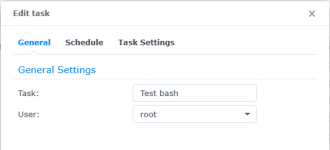
I just realised what would be causing your issue. The mv command cannot remove files that the user running the command does not have permission to delete. You could change the user that runs the scheduled task to admin or root. Thankfully, by default, the mv command retains permissions on the files and folders it moves so running the task as root won't mess up the permissions of the files in Target.

1750981556735.png
 
Zuletzt bearbeitet:
  • Like
Reaktionen: geimist und dil88
Thanks, changed it. It was executed as "admin", now runs as "root". I will see when I wake up what it has done :)

Just checked the privileges on /volume2/SOURCE and admin does have read and write (but not administrative rights). So that does not seem to explain it, but I might want to test again tomorrow with the proper user that owns the share. Can't see what difference it would make, but hey, it is weird anyways...
 
Zuletzt bearbeitet:
Not surprisingly, no effect. For clarity, again command and log:
mv -f /volume2/SOURCE/* /volume2/TARGET/

mv: inter-device move failed: '/volume2/SOURCE/@eaDir' to '/volume2/BUP_MAR_RO/@eaDir'; unable to remove target: Directory not empty
mv: inter-device move failed: '/volume2/SOURCE/BUP-2025.06.22-22.46' to '/volume2/TARGET/BUP-2025.06.22-22.46'; unable to remove target: Directory not empty
mv: inter-device move failed: '/volume2/SOURCE/BUP-2025.06.24-19.10' to '/volume2/TARGET/BUP-2025.06.24-19.10'; unable to remove target: Directory not empty
mv: inter-device move failed: '/volume2/SOURCE/BUP-2025.06.24-22.41' to '/volume2/TARGET/BUP-2025.06.24-22.41'; unable to remove target: Directory not empty
mv: inter-device move failed: '/volume2/SOURCE/BUP-2025.06.25-22.39' to '/volume2/TARGET/BUP-2025.06.25-22.39'; unable to remove target: Directory not empty

TARGET material exists and is checked: all directories and files exist with proper size.
SOURCE is identical and remains unchanged.
I can manually delete in SOURCE (both from Windows client via SMB using a non-admin user as well as on the Synology Web interface as user "admin").


It is weird in two ways:
1. It worked absolutely seamlessly for years, untouched (*)
2. It should work and I can't see any single reason why it shouldn't.

Actually, I would be happy to manually remove the files in source directory if that wouldn't require me to test the proper existance of the copy prior to the manual deletion. Main intention is to fully automatically move content without any manual intervention, fully unattended. Any manual intervention breaks the conceptual idea of it.

Dave or anyone else: do you see any other reason why it would not work as planned? Or items that have changed in Synology OS in the last few months which might affect the behaviour of a simple mv command?


Notes
(*) I even used the exact same script (*2) on my old synology, bought in 2011. Just there it was volume1, as that synology was a single-drive unit. The concept worked for way more than 10 years...
(*2) I hope it is not considered nasty that I still call this simple one line of command "script" as this is way synology terminology is setup. It's not even a limerick, this is the most basic "script" of my life and I don't get it to work any more. How stupid can I be? :)
 
Wow. It has worked.

Yesterday, I was a bit unsure. Folders get added semi-manually, about 2-10 pieces per week. Yesterday, the latest directory addition was moved (after new command added) and two older ones weren't moved (they have been created prior).

So, to become sure, I removed all old remnants in SOURCE by manual deletion and one new directory was regularly added. Tonight, the script ran successfully - TARGET exists now and SOURCE is completely empty. No errors in log.

Marvellous! Seems to work! THANKS!


But: why? What has caused this issue?
 
  • Like
Reaktionen: DaveR
Repeat: this night, the script worked properly. Solution works, problem gets somehow created thru "@eaDir".
 
  • Like
Reaktionen: DaveR
I have no idea why your original 1 line script worked and later stopped working. Maybe you recently installed or enabled something that actively uses or monitors "@eaDir", or maybe it was a recent DSM update or package update.
 
  • Like
Reaktionen: bubeller

Additional post fields


Kaffeautomat

Wenn du das Forum hilfreich findest oder uns unterstützen möchtest, dann gib uns doch einfach einen Kaffee aus.

Als Dankeschön schalten wir deinen Account werbefrei.

:coffee:

Hier gehts zum Kaffeeautomat